

Roblox limiteds tracked, watched, and posted to your server.
Servers
Items Watched
What it does
Every feed is optional, every feed is routed wherever you want.

Fresh trade ads from Rolimon's, rendered with item images and player info, posted the instant they hit your watchlist.
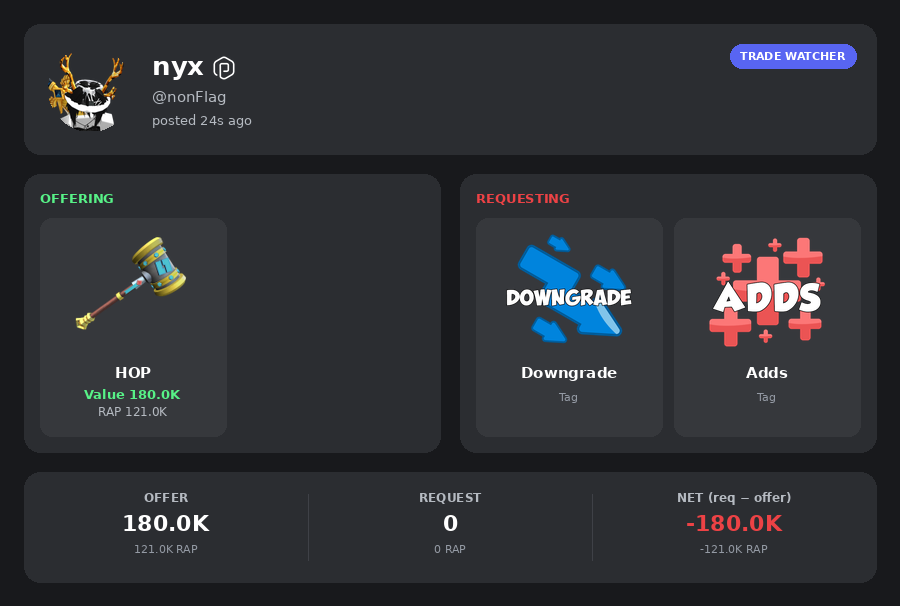
Every move on every item you watch, filtered by the percent threshold your server picks.
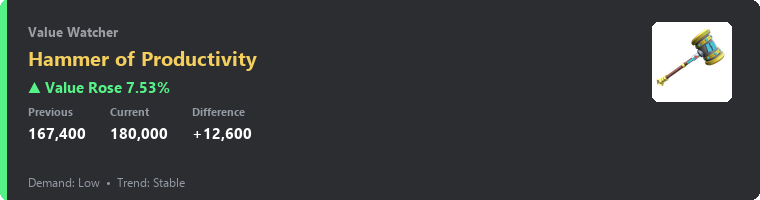
Hear about it the moment an item gets flagged or cleared as projected.
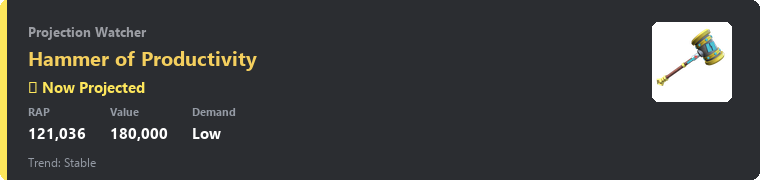
Give a Discord role to anyone owning a specific Roblox limited. Refreshed daily and on join. Powered by Bloxlink.
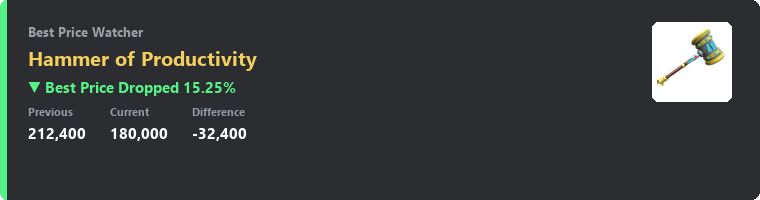
One shot. Fires once when an item's lowest catalog price crosses your line, then quietly disappears.
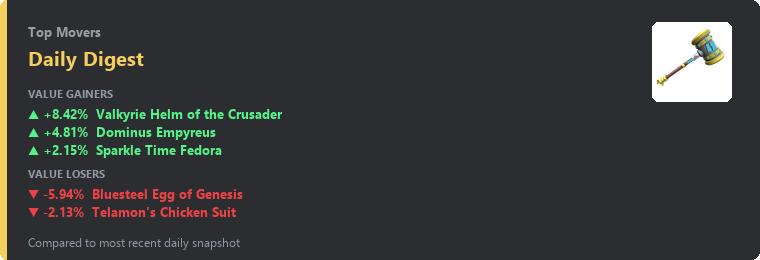
A clean top movers embed, dropped once a day at the UTC hour you pick.
/lookup /player /stats /top, open to every member.
How to set up
No dashboards. No config files. Type and go.
Trade ads, value moves, projected flips. Pick which channel each one posts in.
Type an item name. Autocomplete handles the rest. No memorizing item IDs.
Run /config to verify everything. The bot starts posting on the next poll.
Reference
Click any command for the full description and an example. Admin commands need Manage Server.
Channels & Watchlist
/set-channelWire a feed to a channelPick which channel a feed posts into. One feed per channel. Run it again to change the channel.
/clear-channelDisable a feedStop posting one of the feeds entirely. The watchlist is kept, just no channel routing.
/add-itemAdd an item to the watchlistType a name and pick from autocomplete, or paste a Roblox catalog ID. The bot starts watching it on the next poll.
/remove-itemRemove an itemDrop an item from this server's watchlist. Autocomplete shows only items you currently watch.
/watchlistShow every watched itemLists every item this server tracks. Ephemeral, so only you see the response.
/clear-watchlistWipe the watchlistEmpties the watchlist for this server. Cannot be undone.
Pings & Tuning
/set-mention-rolePing a role on a feedChoose a role to ping every time the selected feed posts. Different role per feed if you want.
/clear-mention-roleStop pingingRemoves the role ping for the selected feed.
/set-thresholdOverride % move thresholdsQuieter or louder than the global defaults. Useful if your watchlist is volatile.
/reset-thresholdUse global defaultsDrops your overrides and reverts to the global thresholds.
/set-digestDaily top movers embedSchedule a daily digest of the biggest gainers and losers on your watchlist.
/clear-digestTurn off the digestStops daily digest posts in this server.
Price Alerts
/alert-addCreate a one shot price alertFires once when the lowest catalog price crosses the threshold, then deletes itself.
/alert-listList active alertsShows every active price alert in this server.
/alert-removeDelete an alertRemoves one of the active alerts before it fires.
Auto Roles
/set-bloxlink-keyStore this server's Bloxlink keySaves the Bloxlink API key for this server. Required before any auto role rule will fire.
/clear-bloxlink-keyForget the keyDeletes the stored Bloxlink key. Auto roles will stop firing until a new key is set.
/set-roleGrant a role for owning an itemMembers who own the chosen item get the chosen role, automatically.
/remove-roleDelete an auto role ruleDrops one of the auto role rules. The Discord role itself is not deleted.
/list-rolesShow all rulesLists every active auto role rule in this server.
/sync-rolesForce a full server resweepRe-checks every member's inventory and applies all auto role rules. Daily sweep runs automatically at 04:00 UTC.
/sync-meRecheck your own rolesRefreshes your own auto roles immediately. Useful right after buying or selling an item.
Lookups (open to everyone)
/lookupItem info, value, RAP, demandPulls live Rolimon's data for any item without needing it on the watchlist.
/playerRoblox user lookupShows a Roblox player's RAP, value, and inventory size from Rolimon's.
/statsYour watchlist as a portfolioSummarises this server's watchlist like a portfolio. Total value, total RAP, daily change.
/topGlobal top gainers and losersTop movers across every tracked item, not just your watchlist.
/configShow this server's settingsShows every feed, channel, threshold, and digest schedule for this server.
/infoBot stats and linksTotal server count, items tracked, uptime, and important links.
/supportLink to the support serverDrops the Discord support invite into the channel.
/helpSetup walkthroughStep by step walkthrough for first time setup.
Source will go public so anyone can self host, audit the code, or contribute fixes. Follow the support server for the announcement.
Onward
Questions and bug reports go in the Discord. If Valkyrien made your trades better, a coffee on Ko-fi keeps the lights on.
Bug reports, feature requests, setup help, and chat with other people running the bot. Patch notes drop in #bot-updates.
Hosting, domain, and Ko-fi tips help keep Valkyrien free for everyone. Even one coffee goes a long way 🩷
Support on Ko-fiFree. Hosted. Live in your server in under a minute.
Add to your server